


Description
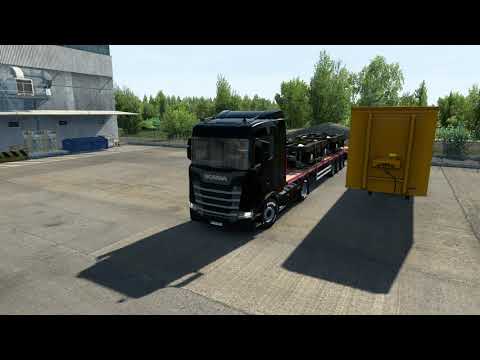
This mod improves the default summer environment & weather.
Key Features
Vegetation improvements
Realistic lighting
Improved rainfall and windshield rain
Increased road drying time after rain
Road texture improvements
Wet sidewalk and asphalt reflections
Grass improvements
Increased grass density
Grass rendered at a further distance
Out of sight vegetation LOD transitions
Less visible low LOD vegetation
Less vegetation pop in
Smoother looking graphics
Transforms older parts of the map with newer high resolution graphics
Low resolution tree models replaced by high resolution ones across maps
Improved vegetation variation
More flowery vegetation
Works with Promods and many other maps.
Works with all map DLC’s
Compatibility latest version: ETS2 1.61
Changes In V6.8
Updated for 1.61
Nice weather improvements
Bad weather overhauled
Increased road drying time after rain
Improved rainfall
Wet sidewalk and asphalt reflections
Important!!
Please disable other weather & graphics mods or you may experience issues, conflicts and crashes.
Instructions
Place New Summer on top in Mod Manager.
Recommended Settings
Vegetation Detail: High
Grass Density: High
Normal Maps: Enabled (requires restart if not previously enabled)
⭐ Popular Mod! More than 130 downloads this week!
💡 Others also downloaded: Mercedes Benz Actros MP6 [1.61], Brutal Traffic V8.5, Realistic Rain & Water & Thunder Sounds V10.8.
Compatibility: ETS2 1.61, 1.60, 1.59, 1.61 Weather, Realistic 1.61
Author: Grimes
How to install this mod (Full installation guide)
- Download and extract the mod. File extension should be .scs (ModsHost download guide).
- Find the mods folder on your computer
- Windows – /Documents/Euro Truck Simulator 2/mod
- Copy the downloaded file to your Mods folder
- Launch the game and enjoy your mod!
Problems? Let us know in the comments! Your feedback helps modders improve the mod. Also, be sure to check the comments section - other players may have already shared solutions to common issues.
Download mod
new_summer_ets2_v6_8_v6.8.scs (765 MB) new_summer_ets2_v6_7_v6.7.scs (761 MB) new_summer_ets2_v6_6_v6.6.scs (749 MB) new_summer_v6_5_v6.5.scs (749 MB) new_summer_v6_4.scs (687 MB) new_summer_v6_3.scs (685 MB) new_summer_v6_2.scs (666 MB) new_summer_v6_1.scs (661 MB) new_summer_v5_7 (V5.7 1.50).scs (633 MB) new_summer_v5_1 (V5.1 1.47).scs (355 MB) Safe to download: Check new_summer_v4_6 (V4.6 1.43).scs (248 MB) Safe to download: Check new_summer_v6.scs new_summer_v5.scs new_summer_v5_3.scs new_summer_v5_4.scs new_summer_v5_5.scs new_summer_v5_6.scs new_summer_v5_8.scs new_summer_v5_9.scs grimesmods.wordpress.comDiscover Mods Loved by Other Gamers!


Share Your Gameplay!
Submit a screenshot of this mod!
Submit a YouTube video.