


Description
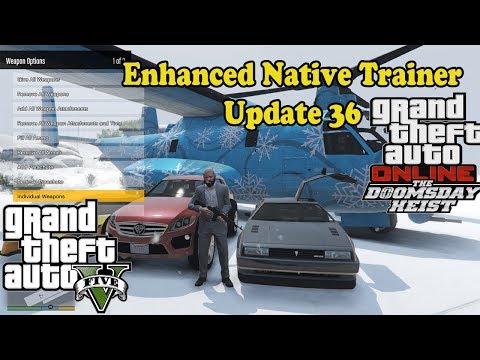
Notable Features Include:
- Skin customizer
- Vehicle customizer
- Weapon customizer
- Organized & extra vehicles
- Organized & extra teleport locations
- Ability to save vehicles & skins
- Many additional general options
- Saves/restores settings across multiple uses
- Controller support
For installation details and keys/controls, and what’s new in each release, please read the document in the ZIP.
This will tell you, for example, that by default, game controls are disabled whilst in the menu, but that you can turn this off in Miscellaneous > Trainer Options. See, useful.
You can redefine the keys using the supplied XML, which should be placed in the game directory.
Known Issues:
- Trikes display car related mod headings. This is due to how I’m getting the type of vehicle. Since a Trike isn’t a motorbike, it’ll display car related headings (just like the Quadbike above) because it thinks it’s a car. I’ll fix this later with a QoL (quality of life) update when I have time. Mods are still applied properly however!
- Reshade 1.1 will crash your game if you run ENT alongside it. I’m told Redux works fine however. It’s way above my head, so not something I can fix.
- When loading ENT, unplug any controller and let your game load before plugging it back in. Not doing this will result in your game crashing during loading, or an infinite loading screen!
I’ve included the original thread as I (and others) still use it to test builds and give feedback on them.
If any of the other ENT team members want me to rename my updated fork of ENT (to prevent issues with the names and anything I may add which they may not want in ENT), please PM me and I’ll change it.
How to use the Hotkey functionality (Tutorial courtesy of Slash_Alex):
This trainer has 9 hotkeys slots. So you can use nine different hotkeys combinations to apply nine different cheats. The list of cheats is limited, so you can’t use any cheats that are not on the list.
Find these lines in the ‘ent-config.xml’ file: and .
You mustn’t change ‘key function’ value, but you can change ‘value’ and ‘modCtrl’, ‘modAlt’, ‘modShift’ if you need a combination.
The list of available key values (to change the “VK_NOTHING” value) can be found here: http://www.garybeene.com/code/gbsnippets_gbs_00292.htm.
You can use any combinations, like CTRL+SHIFT+ALT+7:
After you finished with the ‘ent-config.xml’ file start the game, open the trainer, Miscellaneous/Trainer Options/Hotkey Setup. There select the line you’ve assigned value for by pressing ‘5’ (if key function=”hotkey_2″ then this is the second line) and now you can change your hotkey function by pressing ‘6’ or ‘4’ buttons.
⭐ Popular Mod! More than 8830 downloads in total!
💡 Others also downloaded: Keyless / Push to Start, Second Self Story Mode Creator, Skateboard Turbo.
Authors: Zemanez, arewenotmen and others
Download mod
Enhanced-Native-Trainer-Update-49.zip (8 MB) Safe to download: Check Enhanced-Native-Trainer-Update-49_1.zip (8 MB) Safe to download: Check Enhanced-Native-Trainer-Update-50.zip (8 MB) Safe to download: Check Enhanced-Native-Trainer-Update-50_1.zip (8 MB) Safe to download: Check Enhanced-Native-Trainer-Update-50_2.zip (8 MB) Safe to download: Check Enhanced-Native-Trainer-Update-51.zip (8 MB) Safe to download: Check Enhanced-Native-Trainer-Update-52.zip (9 MB) Safe to download: CheckDiscover Mods Loved by Other Gamers!


Share Your Gameplay!
Submit a screenshot of this mod!
Submit a YouTube video.